
Solopreneurs do more than run projects — they design, execute, and iterate entire businesses alone. That creates a unique challenge: how do you take the highest-value parts of your work and convert them into durable, repeatable capability without turning your day into a brittle stack of point tools? This article treats ai workflow optimization software as a systems problem: an operating model, not a set of widgets. It explains an implementable architecture, the trade-offs you will face, and a step-by-step playbook for building an AI Operating System (AIOS) that compounds capability instead of compounding operational debt.
What this category is and why it matters
Call it a category definition: ai workflow optimization software is software that embeds, orchestrates, and maintains workflows where AI models are first-class execution primitives. That means models are used as reliable actors inside a larger system: they have memory, are monitored, can be rolled back, and sit behind policy and recovery logic. For a one-person company, the goal is leverage: turn your actions into long-lived assets that execute reliably and improve over time.
Why stacked SaaS tools collapse operationally
Most solopreneurs try to stitch productivity by composing many SaaS apps and APIs: a calendar, a CRM, an email tool, separate LLM interfaces, Zapier, and a handful of specialized services. This approach looks cheap and fast at first, but it fails along predictable vectors:
- Cognitive load: each new tool introduces a context switch and its own mental model, configuration, and failure modes.
- Integration brittleness: connectors break, APIs change, auth tokens expire and the small operator spends time debugging connectivity rather than delivering value.
- Non-compounding automation: automations become one-off scripts rather than reusable, versioned capabilities that can be audited and iterated.
- Hidden cost growth: per-call pricing and repeated model invocations blow up as workflows scale in complexity or frequency.
Stacking tools solves a task; an AIOS solves an operating problem. It wraps model calls and services with state, policy, and orchestration so outputs are reproducible, auditable, and improvable.
Architectural model: primitives and layers
Design an AIOS as a layered architecture with clear responsibilities. Below are the core primitives that matter for a solo operator deploying ai workflow optimization software.
Execution primitives
- Agents: lightweight processes that represent a logical role (content writer, sales assistant, QA reviewer). Agents have bounded capabilities and interfaces.
- Models as workers: separate the orchestration model (small, predictable) from the generation model (larger, costlier). Use the right model for the job; the orchestrator should not invoke a large model for routing decisions.
- Actions: idempotent, addressable tasks (send email, create draft, update CRM). Make each action observable and retry-safe.
State and memory
State management is the single biggest determinant of reliability. Treat memory as a multi-tier system:
- Working context: ephemeral session state for the current interaction, kept in memory for latency-sensitive work.
- Short-term memory: vectorized contexts and recent transcripts stored in a fast retrieval layer for continuity across sessions.
- Long-term memory: durable indexed records that include decisions, rationales, and human corrections to support auditing and learning.
Use summarization to prevent context bloat: periodically compress old interactions into summaries with links back to raw artifacts. That keeps retrieval effective and cost under control.
Orchestration fabric
Orchestration is the control plane that coordinates agents, retries, and state transitions. Key considerations:
- Synchronous vs asynchronous: synchronous flows are simpler for short tasks; asynchronous, event-driven flows are essential for multi-step processes that wait on external systems or humans.
- Event bus and durable queues: implement message durability and ordering so failed runs can be replayed and audited.
- Workflow graphs and checkpoints: break flows into checkpoints with clear rollback or skip logic. Avoid monolithic scripts.
Centralized vs distributed agent models
There are two viable patterns. Each has trade-offs for a one-person company.
Centralized orchestrator
A single control plane that runs the logic and calls agents or models as needed. Pros: easier to reason about, straightforward state persistence, simpler monitoring. Cons: a single point of resource contention and potential latency bottleneck.
Distributed agents
Small, autonomous agents run near the resource they manage (e.g., a local file watcher agent). Pros: lower latency for certain tasks, natural parallelism. Cons: complexity in state synchronization, higher operational overhead to manage distributed state.
For most solo operators, start centralized and modularize into distributed agents only when latency or parallelism demands it.
Failure recovery, observability, and human-in-the-loop
Assume failures. Design for graceful degradation.
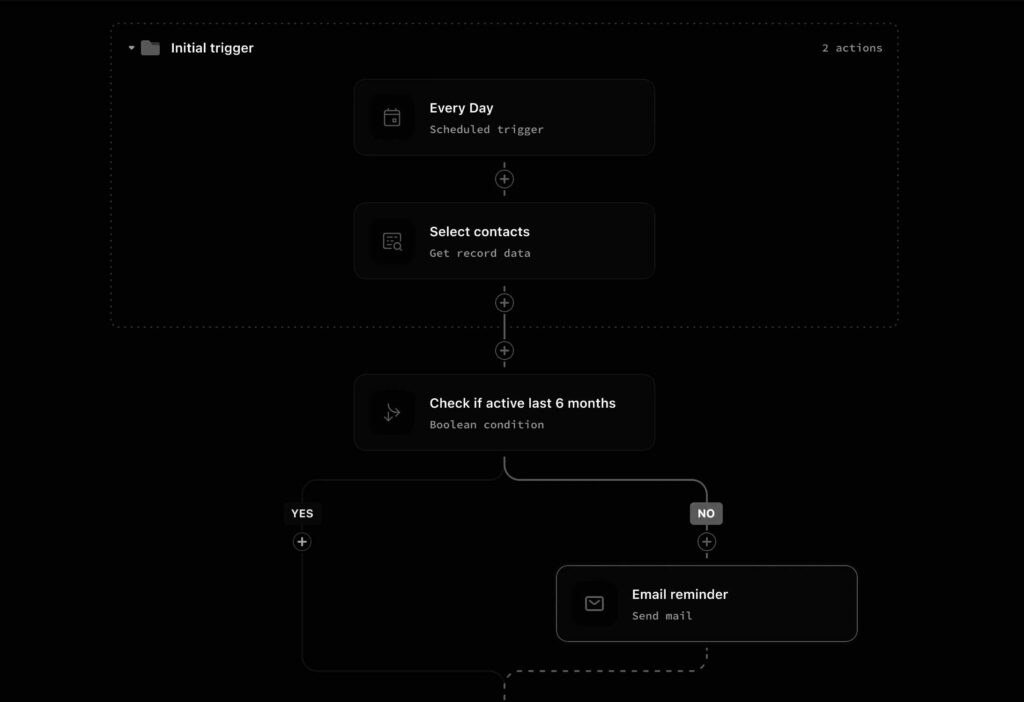
- Idempotency and retries: every action should be safe to retry. Use operation tokens and versioned APIs.
- Observability: instrument success rate, latency, cost per action, and human overrides. Logs are necessary but not sufficient—aggregate metrics and traces are essential.
- Human-in-the-loop policies: define clear escalation thresholds. For example, when confidence falls below X or cost exceeds budget Y, surface the task to you with context and suggested actions.
Cost, latency, and model selection
Choose models deliberately. Use smaller, deterministic models for routing, classification, and extraction. Reserve larger models — including meta ai’s large-scale models — for high-value generation where quality materially changes outcomes.
Track cost per completed workflow and latency SLA per role. Where cost spikes, consider caching, summarization, or model distillation. If a single end-to-end workflow needs to run hundreds of times per day, architectural adjustments like batching, offline processing, and hybrid local inference become necessary.
Automation that improves itself
True workflow optimization is not a one-time configuration. Use measured feedback loops and conservative experiment design to improve flows. Two approaches are common:
- Manual iteration: instrument tests, run A/B comparisons, and adopt incremental changes when they reduce cost or increase success.
- Automated optimization: apply ai evolutionary algorithms or search-based approaches to tune policy parameters and action selection. These can be useful but must be constrained: search space must be small, fitness functions clear, and the operator in the loop for approval.
Deployment structure for a solo operator
Keep deployment simple and predictable. Typical progression:
- Local prototype: minimal orchestrator that can run on your laptop or single cloud instance.
- Cloud staging: move connectors and state to managed services (object storage, vector DB) while keeping orchestration in a single small cloud VM.
- Scaled production: add autoscaling for the orchestrator, separate compute pools for heavy model inference, and implement cross-region redundancy only when necessary.
Hybrid setups can be valuable: run low-latency inference locally for interactive tasks and offload batch generation to cloud GPUs. That balances user experience and cost.
Operational debt and adoption friction
Many AI productivity tools fail to compound because they create operational debt faster than capability. Common sources of debt:
- Undocumented integration hacks that only the creator understands.
- Opaquely tuned prompts and brittle prompt engineering without versioning or tests.
- Unbounded context growth that makes retrieval expensive and slow.
Reduce debt by treating workflows like software: version them, write tests (both unit and integration), and maintain minimal but consistent documentation. Prioritize predictable behavior over marginal quality gains that are expensive to maintain.
Playbook for building an AI Operating System
This is a practical sequence you can execute in weeks, not years.
1. Map business capabilities
List the repetitive, high-effort parts of your work that, if automated, would yield the greatest leverage. For a content creator that might be topic research, draft generation, and social distribution.
2. Define atomic actions and policies
Break each capability into atomic, idempotent actions. For each action, define acceptance criteria, cost budget, and escalation policy.
3. Build a minimal orchestrator
Create a small control plane that runs flows, stores checkpoints, and exposes an admin UI for manual intervention. Focus on clear observability from day one.
4. Implement memory tiers
Start with a short-term vector store and a long-term document store. Add summarization jobs to control growth. Make retrieval fast and contextual.
5. Connect deterministic actions first
Automate the parts you can make deterministic: data extraction, API calls, scheduling. Use models only when necessary, and wrap model calls in predictable, testable scaffolding.
6. Monitor and iterate
Measure success rates, cost per workflow, and human override frequency. Use these metrics to prioritize improvements. Where safe, introduce constrained optimization loops using ai evolutionary algorithms to tune parameters.
7. Plan for growth
When you need to scale, add model sharding, caching, and distributed agents. But keep the control plane consistent so workflows remain auditable and debuggable.
Long-term strategic implications
An AI Operating System that treats models as execution primitives changes how a solopreneur accrues value. Instead of trading time for money, you trade upfront engineering effort for compounding capacity. Two strategic consequences follow:
- Organizational leverage: capability compounds. A reliably orchestrated workflow can serve hundreds of customers with the same marginal human effort.
- Durability over novelty: long-lived workflows require design discipline that favors predictable, auditable automation over chasing the latest model headline.
Large generative models are powerful, but they must be embedded into systems that control cost, maintain context, and recover from errors. That’s the boundary where tools stop and an AIOS begins.
Practical Takeaways
- Think of ai workflow optimization software as an OS layer: agents, memory, orchestration, and policy — not a collection of integrations.
- Start centralized, keep actions idempotent, and maintain strong observability from day one.
- Use smaller models for control logic and reserve large models — including meta ai’s large-scale models — for high-value generation tasks.
- Use ai evolutionary algorithms sparingly as an optimization tool inside a human-supervised loop, not as an autonomous director.
- Design for long-term maintenance: version your prompts, test workflows, and cap context growth with summarization.
AI as an operating system is organizational design. For the one-person company, that translates directly into compounding capability.
System Implications
Adopting an AIOS mindset forces you to make hard trade-offs early: which models are integral, where state lives, and how much automation to trust. Those trade-offs determine whether your automation is an asset or a liability. Build conservatively, measure everything, and prefer structural solutions that scale predictably. That is how a single operator turns AI into a durable, multiplying workforce.